Inception
Paper Mockups
Updated 2025-10-20
Mockups & UI Notes
This gallery captures the latest iteration of our paper mockups, now digitized to document the UX direction for each persona. Every screen reflects feedback from usability sessions and aligns with the requirements and personas described elsewhere in our journey.
System Admin (Platform Operations)
Tenant Management workspace
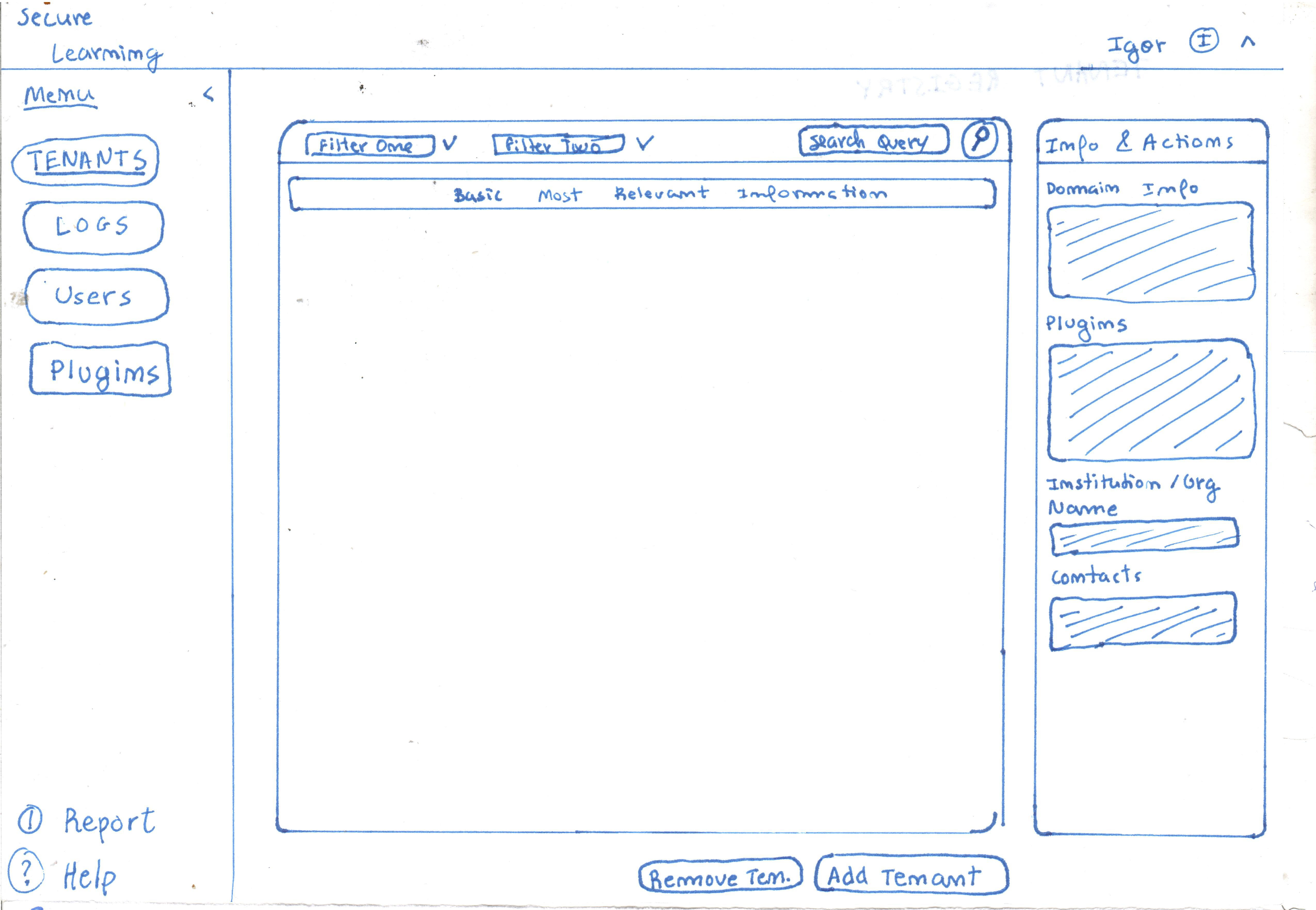
- Centralizes tenant onboarding, status, and feature toggles.
- Quick filters surface at-risk tenants (e.g., overdue invoices, storage limits).
- Inline actions let admins jump into impersonation mode or suspend access.
Audit logs browser
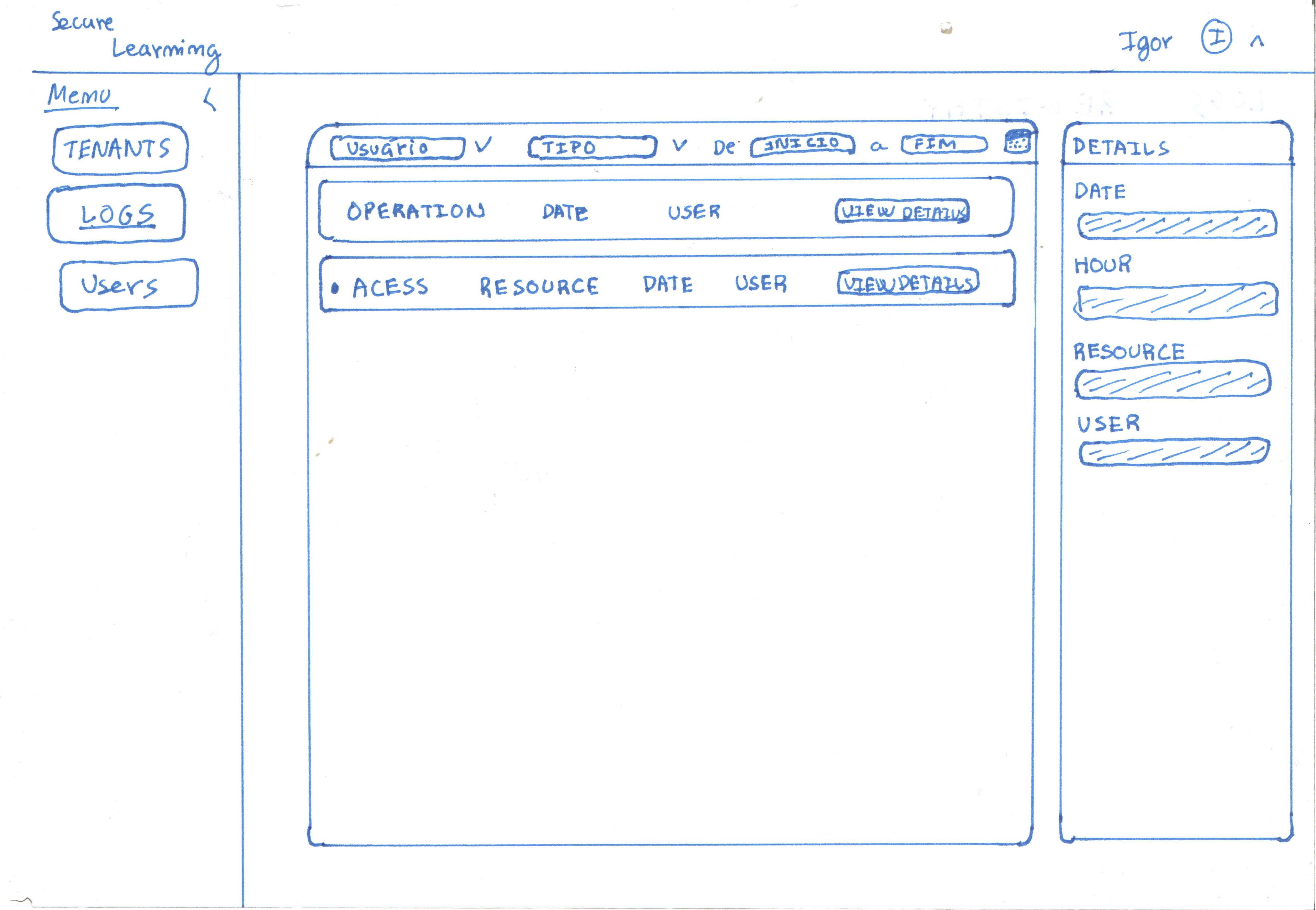
- Chronological log grouped by entity (tenant, user, plugin).
- Pill filters refine by action type (create / update / suspend / delete).
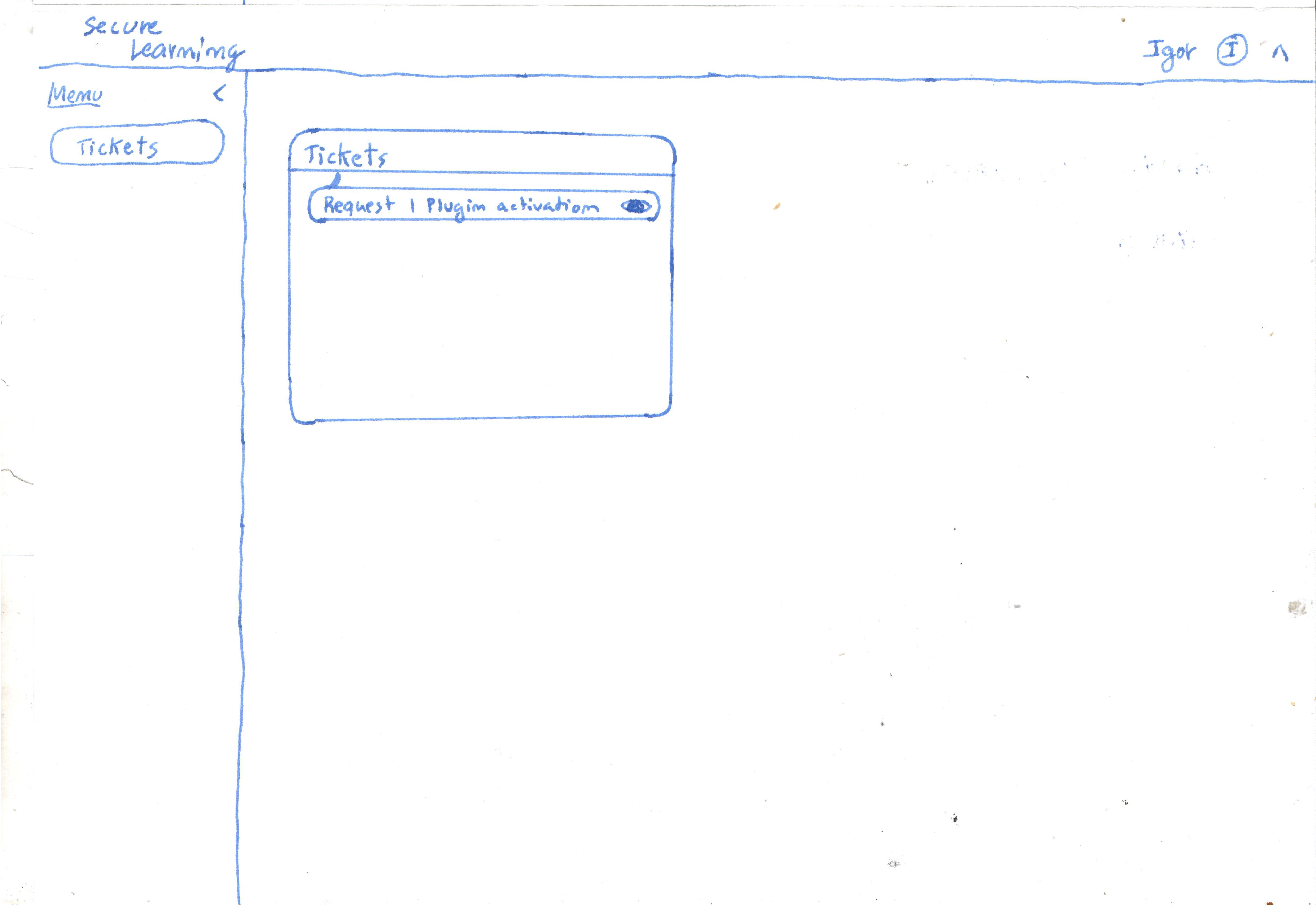
Support ticket triage
Organization Manager
User management overview
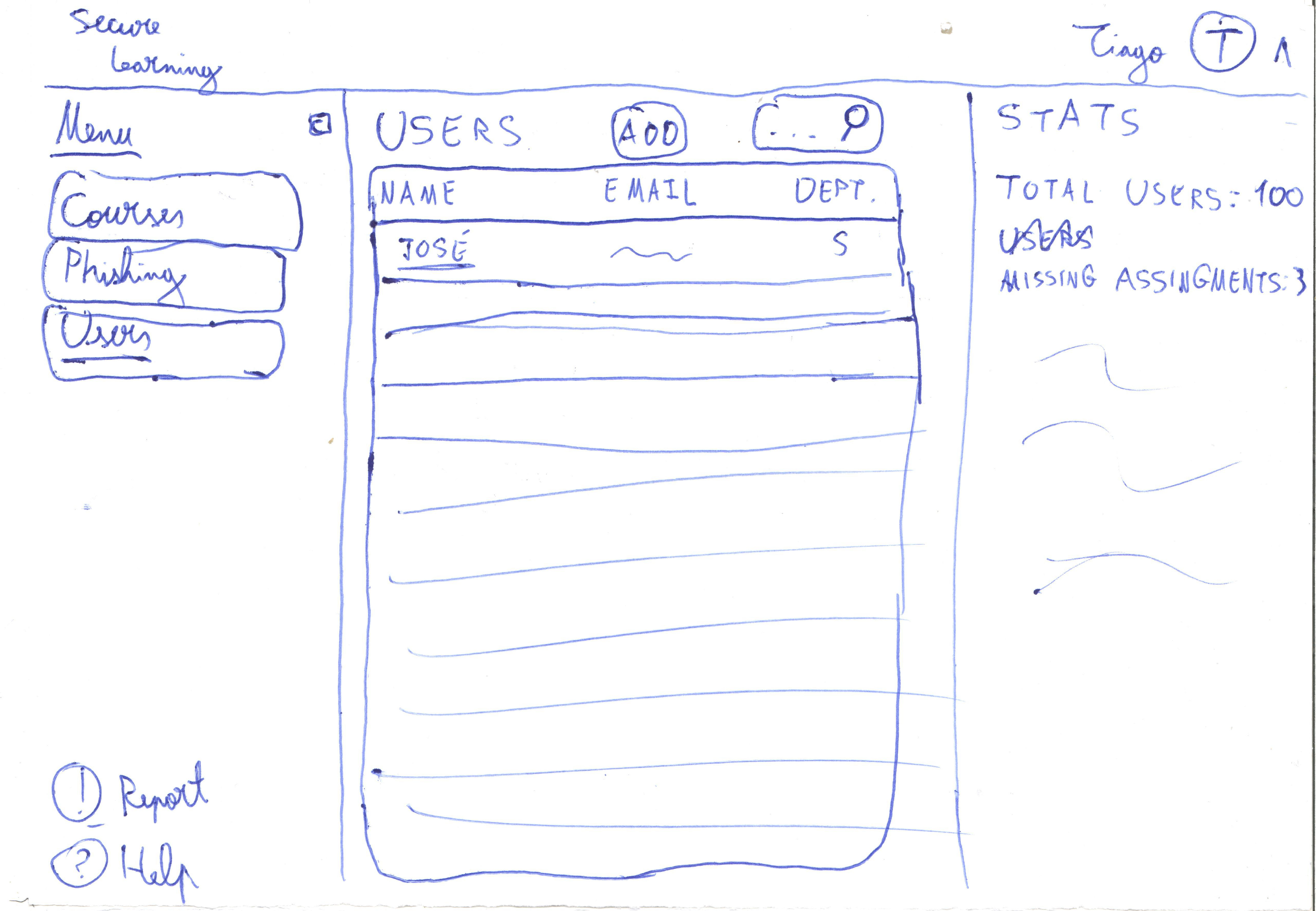
- Department-based grouping with awareness “heat map”.
- Bulk actions assign courses, nudge reminders, or flag for coaching.
- CSV import status with per-user validation feedback.
Awareness events calendar
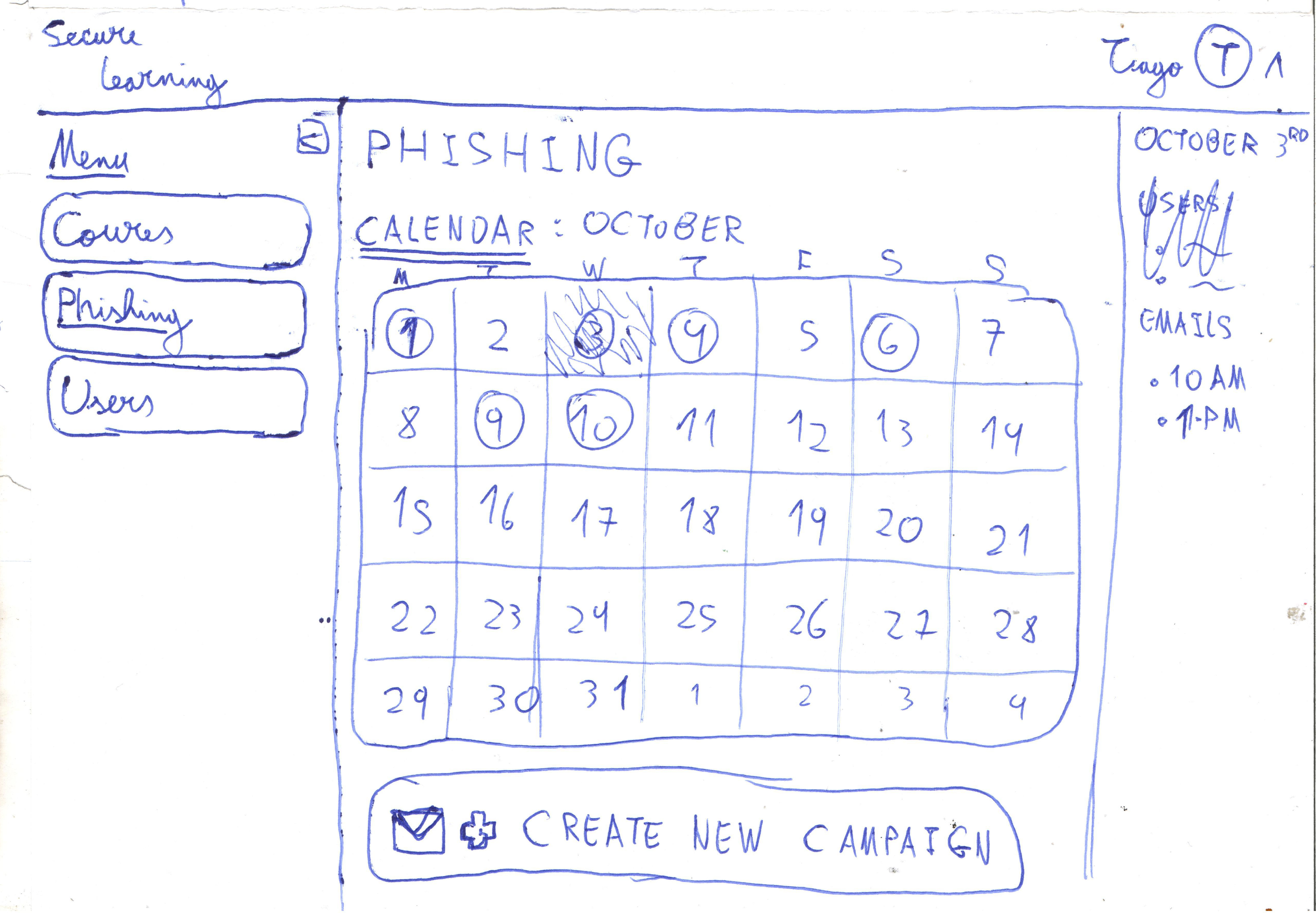
- Unified schedule for phishing campaigns, workshops, and deadlines.
- Drag-to-reschedule interaction updates invitations in real time.
Learner statistics detail
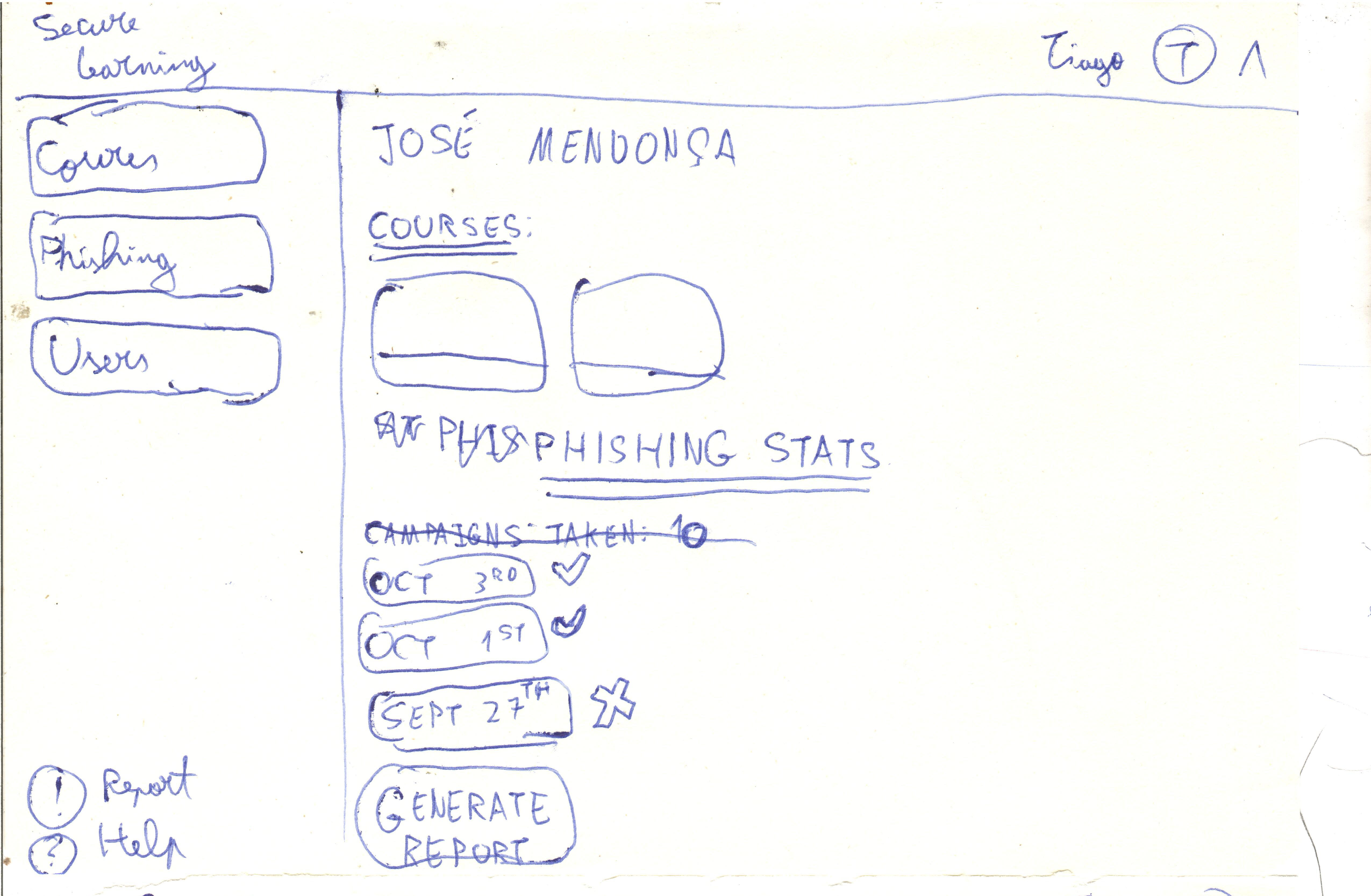
- Timeline view mixes per user phishing outcomes with course completion metrics.
- Risk flags call out repeated offenders and suggested remediation.
- Export strip prepares PDF snapshot for leadership status updates.
Content Manager (Catalog & Simulation Studio)
Course creation Screen
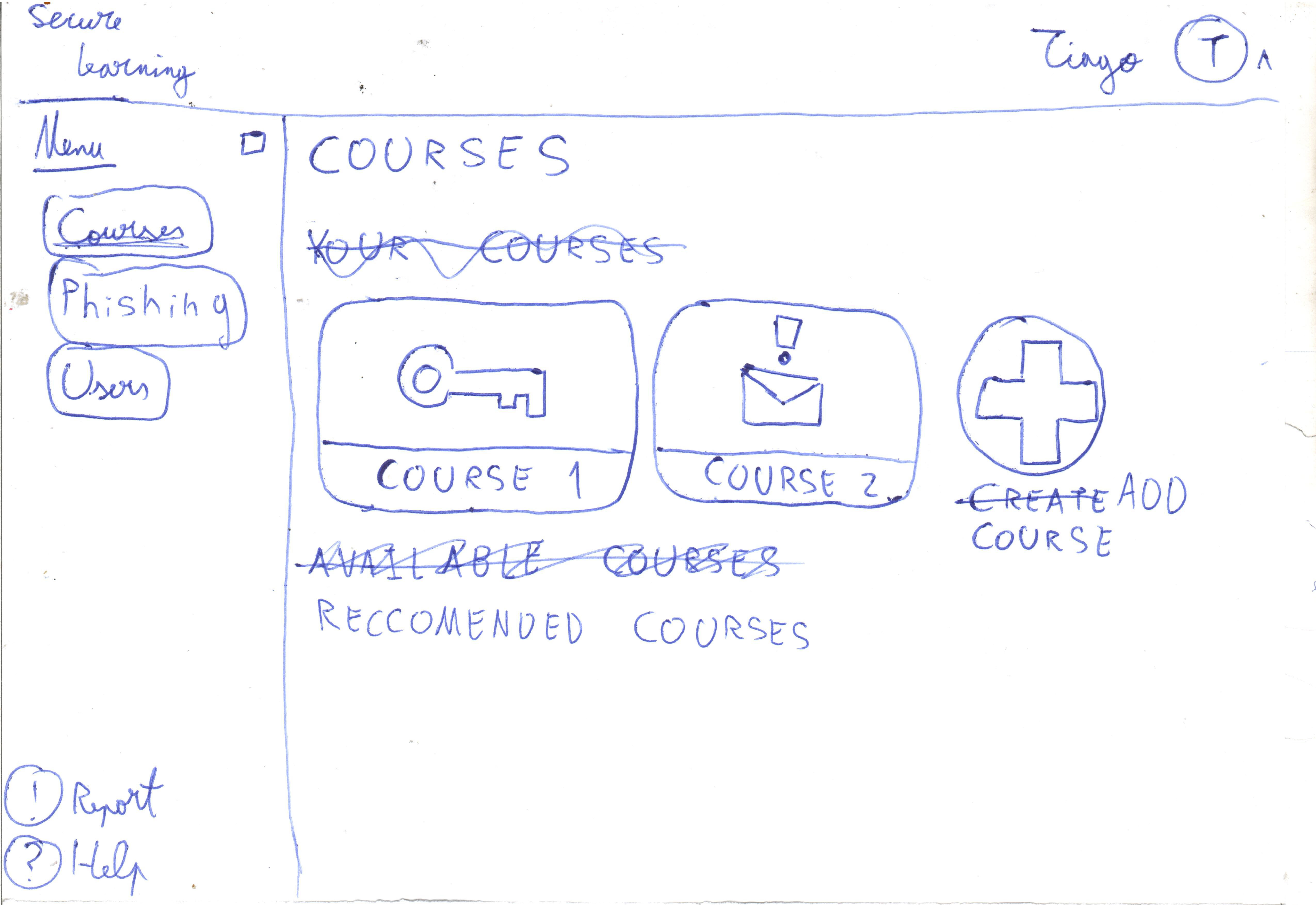
- Currently available Courses on the platform
- Option to beggin the process of adding a course
Phishing template builder
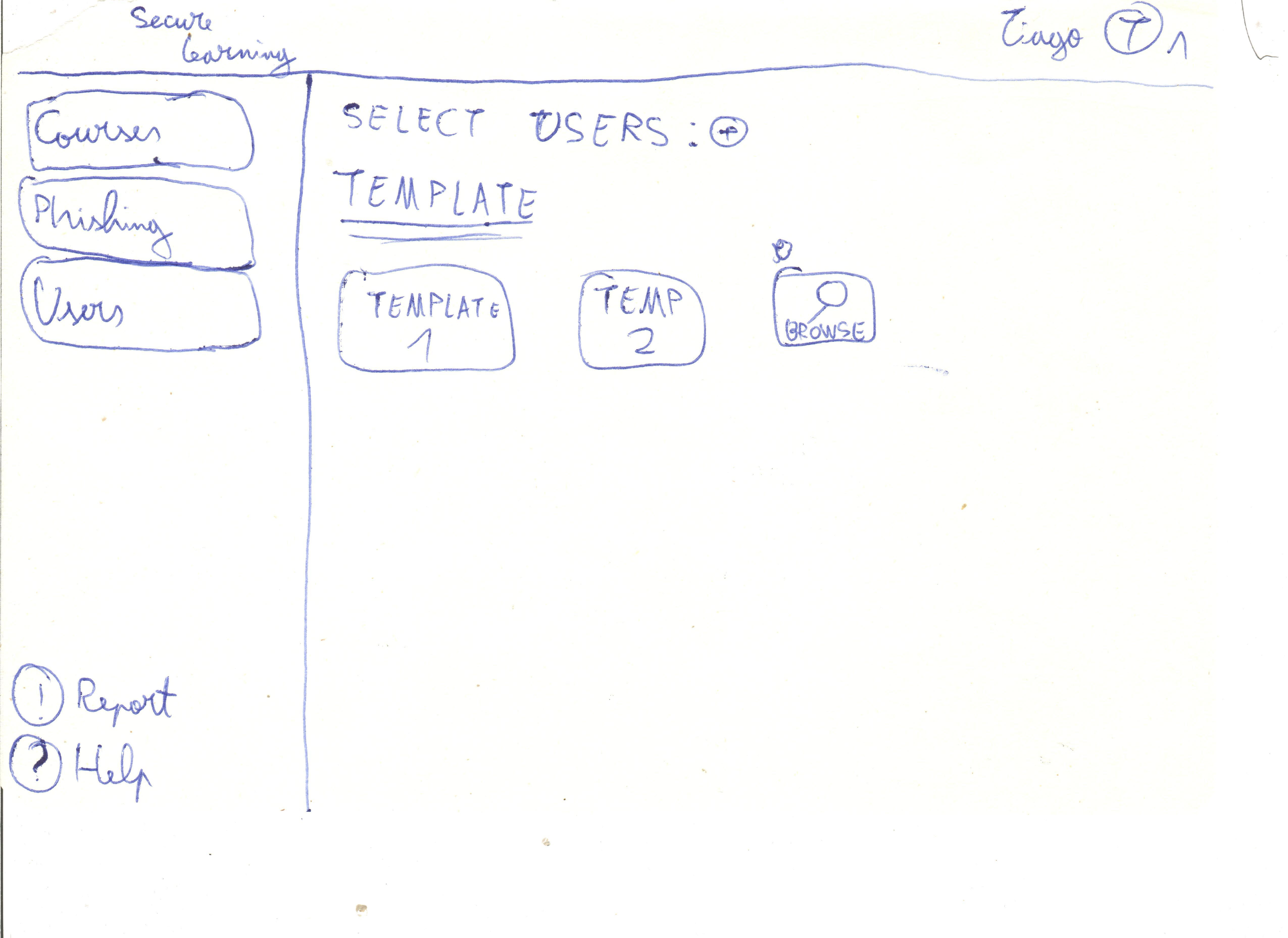
- Add, View and Edit a phishing Template
Learners (End Users)
Personal stats dashboard
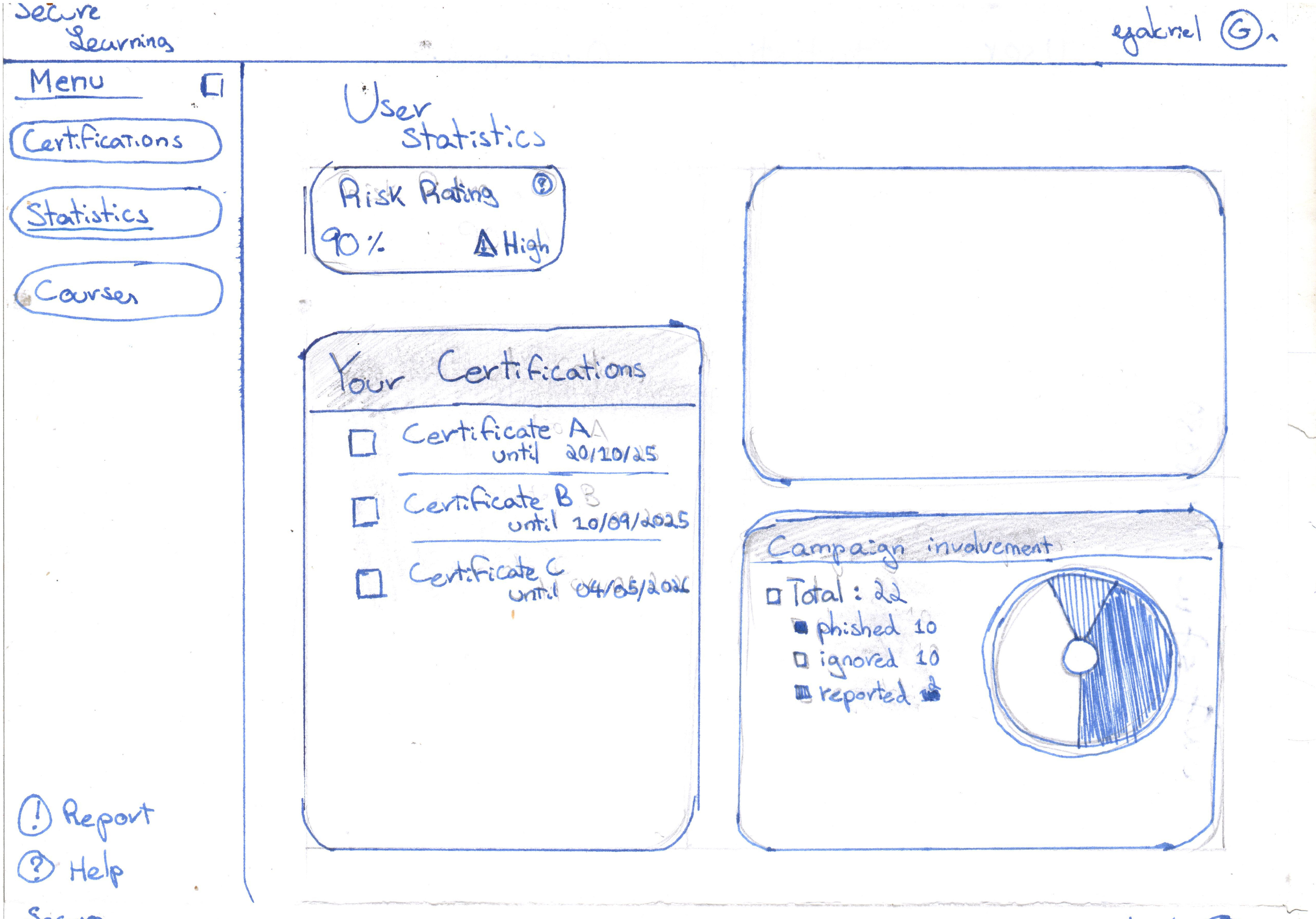
- User's 'Risk-Rating'.
- Surface certificates expiring soon alongside recommended refreshers.
- Calendar snippet highlights upcoming simulations or workshops.
Course catalog
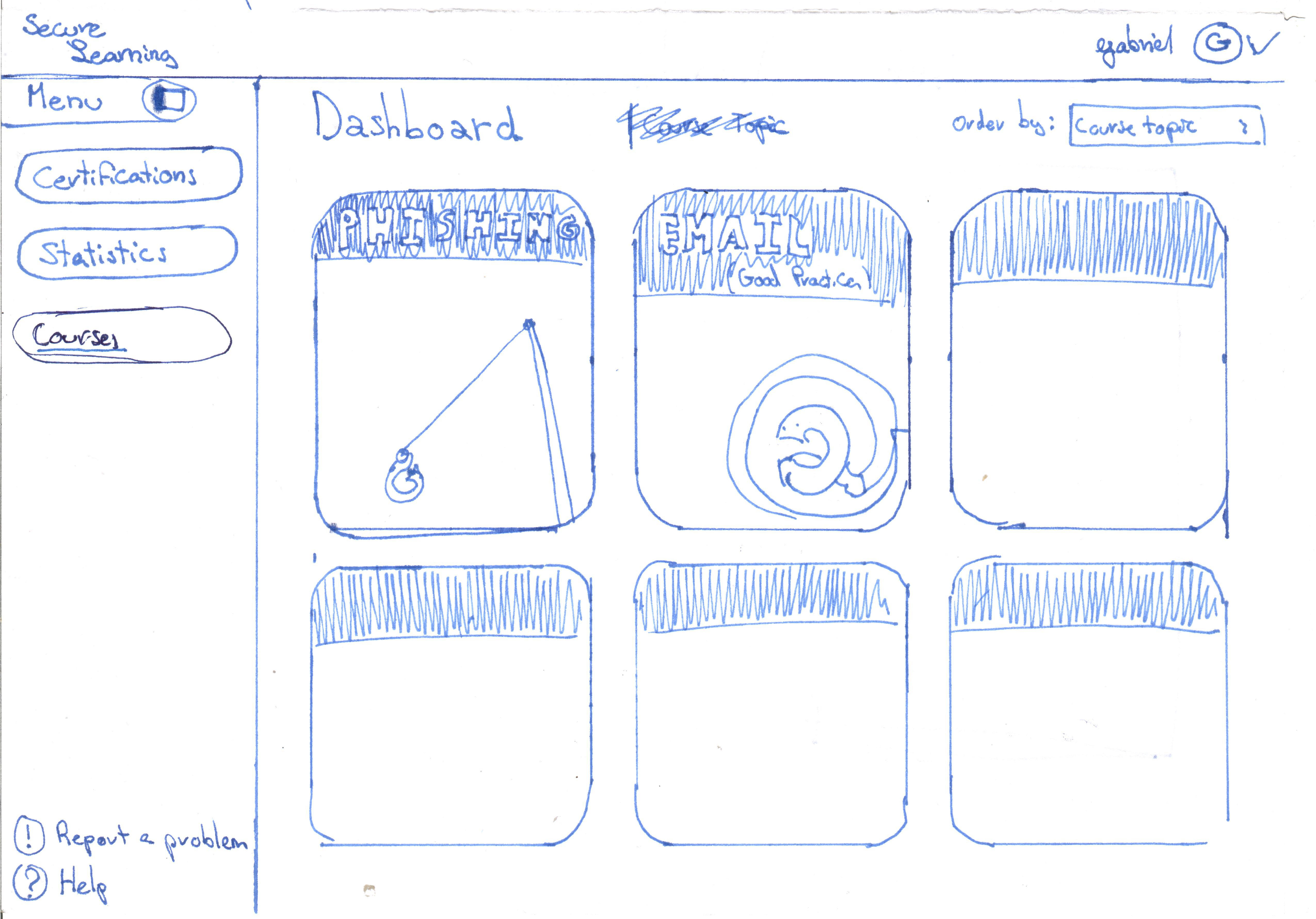
- All available courses (to the user)
Course overview + module navigation
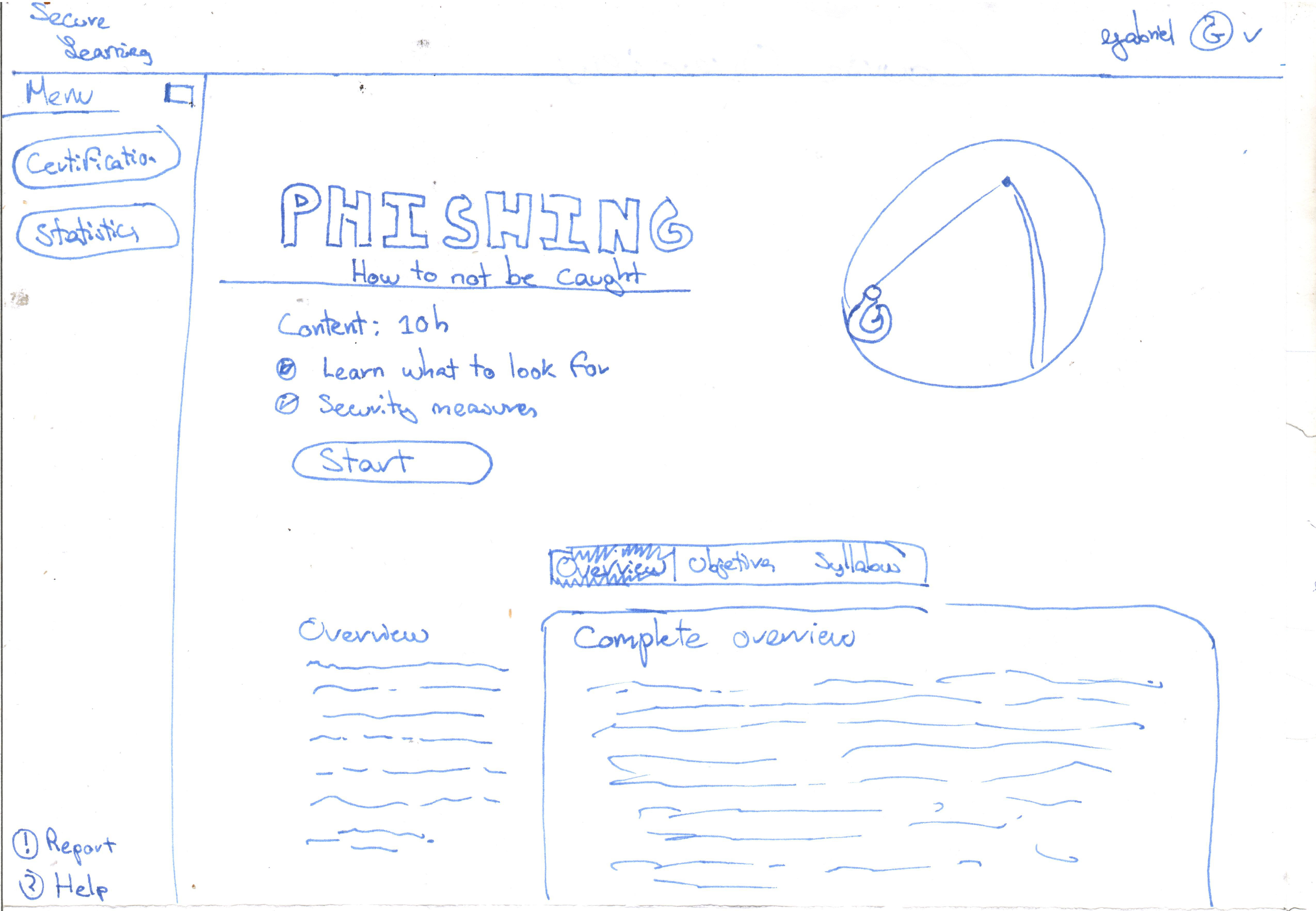
- High-level description, learning objectives, and module list.
- Module cards show media type (video, quiz, lab) and estimated effort.
- Pre-requisite warning ensures sequencing for learning paths.
Module player
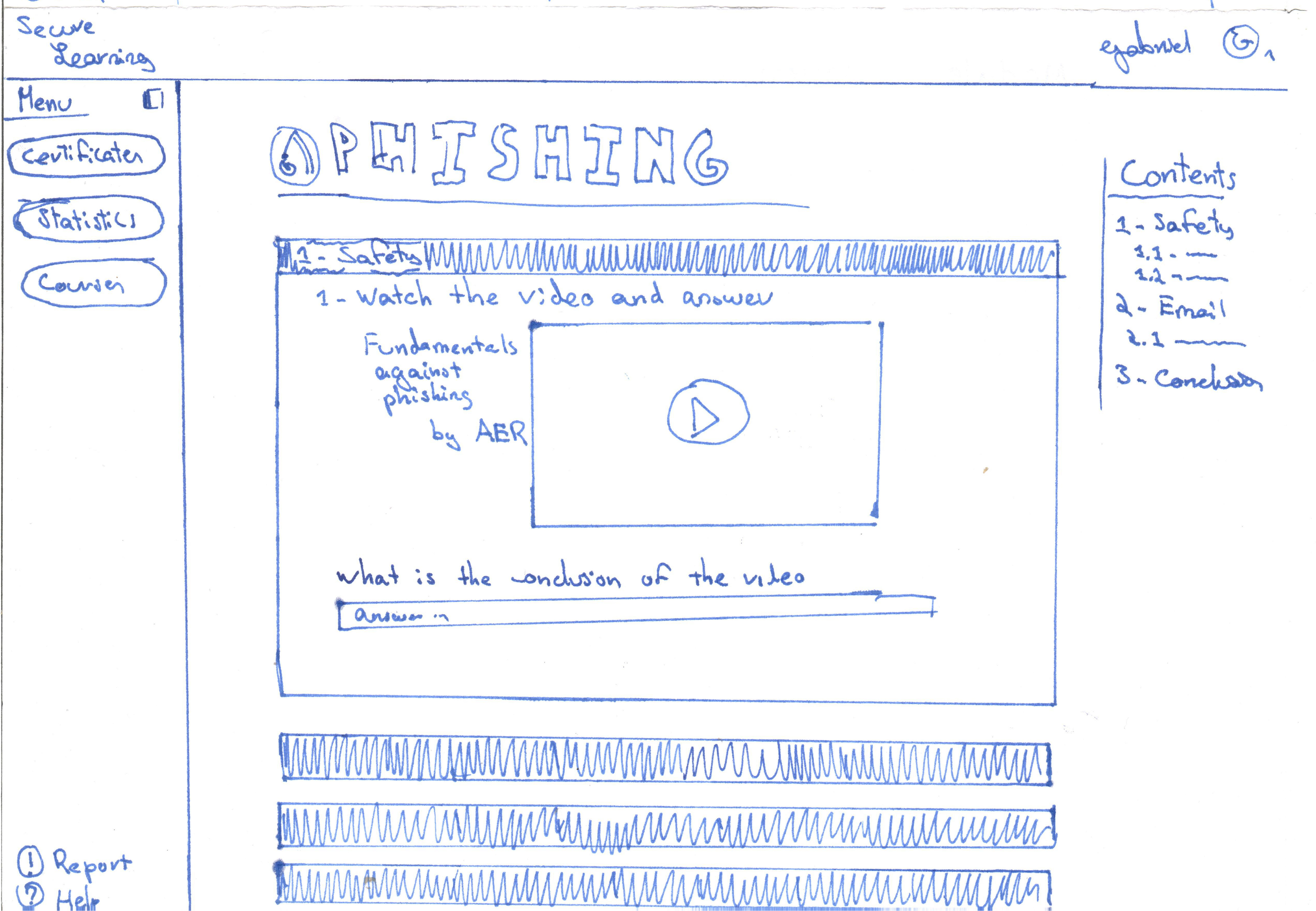
- Split reading pane and notes area support active learning.
- Inline knowledge checks with immediate feedback and remediation links.
- Sticky progress bar keeps track of module and course completion.
Compliance check-in
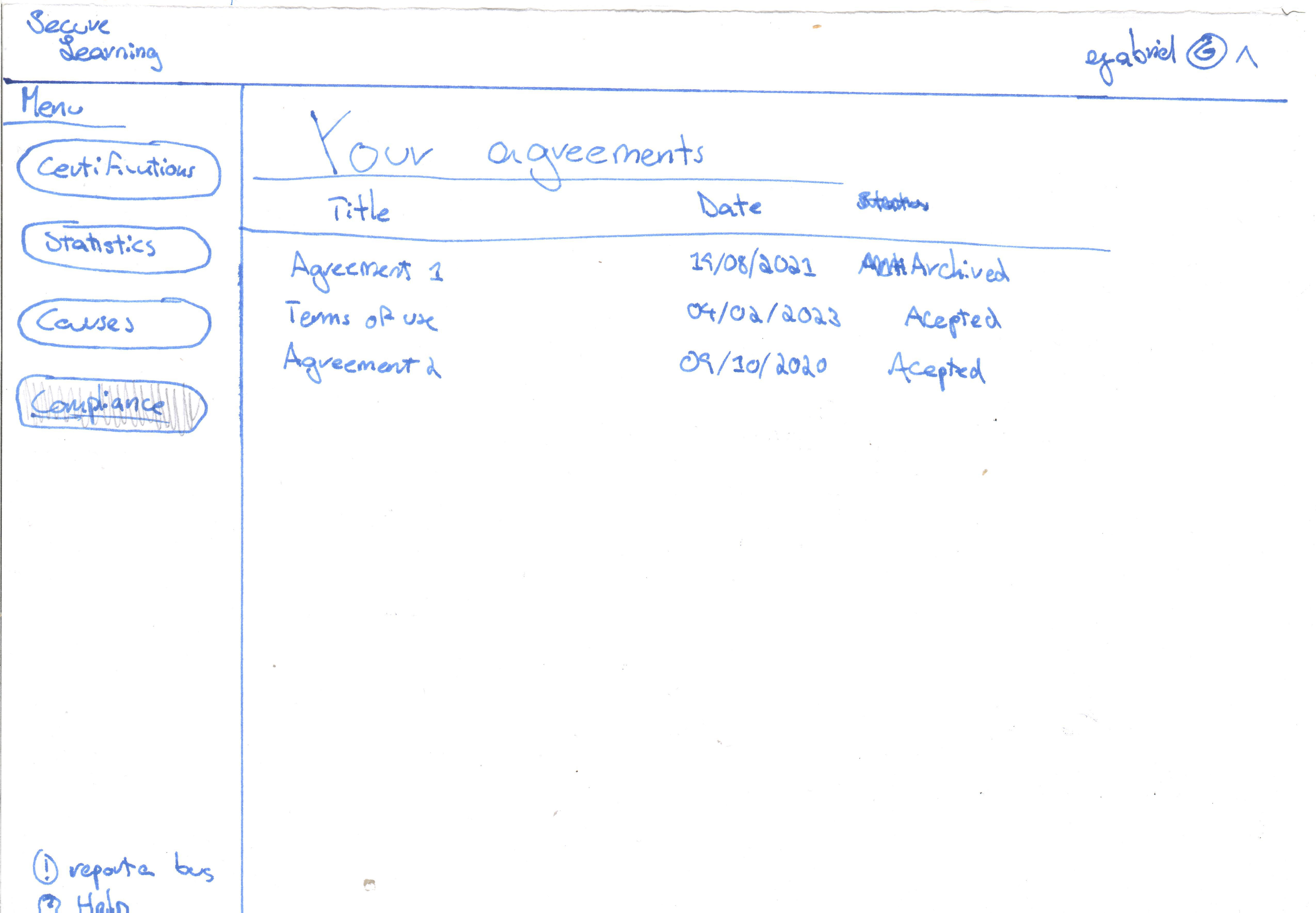
- Step-based wizard for mandatory compliance attestations.
- Contextual help bubble explains policies and acceptable use examples.
- Submission summary emailed automatically to organization manager.