Use Cases
Updated 2025-11-17
This use-case model describes how each role interacts with SecureLearning across the Core, Phishing Engine, and LMS feature areas.
It connects personas and requirements to concrete system behaviours and responsibilities.
Use-Case Diagram
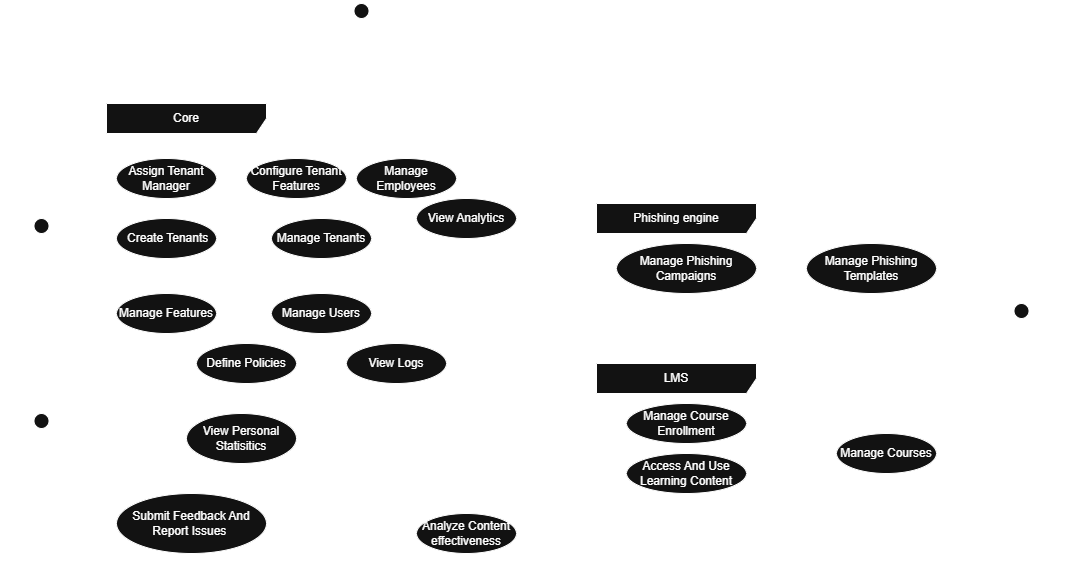
The diagram groups actions by feature area (Core, Phishing Engine, and LMS) and maps each of them to the actors who perform them: System Admin, Organization Manager, Content Manager and Learner.
System Admin
System Admins operate at the platform level, ensuring that each tenant has the correct configuration, access and stability.
They can:
- Create Tenants and assign a Tenant Manager.
- Configure Tenant Features (LMS, Phishing Engine, Analytics, etc.).
- Manage Features available on the platform.
- Manage Users (platform-wide content managers, admins, etc.).
- Define Policies that govern global behaviour.
- View Logs for auditing and compliance.
These capabilities map directly to functional requirements such as tenant management, user management and system-wide governance.
Organization Manager
Organization Managers (Tenant Admins) operate inside their tenant and are responsible for employees, campaigns and training.
They can:
- Manage Employees
- Add users
- Organise them in groups
- View personal statistics
- Configure Tenant Features for their own organisation.
- View Analytics on campaigns, training performance and learner behaviour.
- Manage Phishing Campaigns
- Create & schedule phishing campaigns
- Select templates
- Assign remediation plans
- Manage Phishing Templates (view and apply templates distributed by content managers).
- Manage Course Enrolment (subscribe users to LMS courses).
Organization Managers bridge the Core, Phishing and LMS areas, reflecting their operational role in day-to-day tenant management.
Content Manager
Content Managers maintain all global educational and simulation content.
They can:
- Manage Courses
- Create, update and discontinue educational content
- Maintain quizzes, videos and materials
- Manage Phishing Templates
- Create or update simulation templates
- Maintain categories, difficulty levels and versions
- Analyze Content Effectiveness (feedback loops, adoption metrics)
They ensure the global catalog stays up-to-date, safe and aligned with current cybersecurity trends.
Learner
Learners interact mainly with the LMS and remediation flows.
They can:
- Access and Use Learning Content
- View assigned courses
- Complete modules, quizzes and exams
- View Personal Statistics (progress, exam results, phishing susceptibility).
- Submit Feedback and Report Issues through the learner interface.
Their actions close the cycle between phishing simulation, remediation and long-term learning.
How This Fits Into the System
The use-case model clarifies:
- Which responsibilities belong to each role
- How each role’s actions map to functional requirements
- How the platform divides interactions across Core, Phishing Engine, and LMS
It acts as the behavioural blueprint that complements the Domain Model and guides the UI, API design and feature boundaries.